01
Give Flaireel the listing link
Paste it into the app — that is your whole job. The app opens the page and fetches every photo at full size, with the price, address and rooms.
No crew, no shoot, no editing — just the photos already on the listing. Share the link to the Flaireel app and your phone does the rest: Full HD in both formats, licensed music, ready to send.


Free to install from Google Play · your first three videos free · Android 7.0+ · iPhone app coming — get notified.
How it works
Paste it into the app — that is your whole job. The app opens the page and fetches every photo at full size, with the price, address and rooms.
It recognises each room, reads the depth of the space and finds what is worth showing — then frames every shot around it.
Tick both formats and one pass renders both — widescreen for the listing, vertical for social. Licensed music matched to the property's mood, and the share sheet sends the link anywhere.
AI video
A second kind of video, beside the photo film. The app writes a short film for the listing and generates footage of each room from the listing’s own photographs of that room — in the style you pick, with a presenter if you want one. About ten minutes, in HD, widescreen or vertical.
Ten ready-made people and pets — or add yourself from one photo and present your own listings.
Just listed, Open house, Price update or Sold: the badge and the closing line follow.
Every scene carries “Generated with AI” and the end card says so too. It cannot be switched off. Each scene is also checked against its photograph, and one that shows something the photo does not is flagged for you to look at.
One AI video a day, on every plan — free or Pro. On the free plan it is one of your first three videos.
AI photo styling
Switch on photo styling and an AI edits the listing’s photos before the photo film is cut — one look per video. The room itself stays: an edit that changes the architecture is thrown away and the photo is used as taken.
 Before
 After
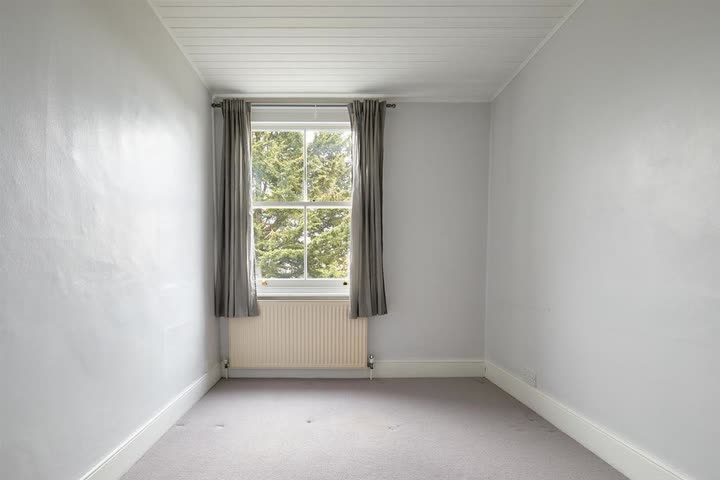
Empty rooms get furniture, in a style you pick. Here: Nordic Light — pale wood, white and grey textiles, a plant by the window.
 Before
 After
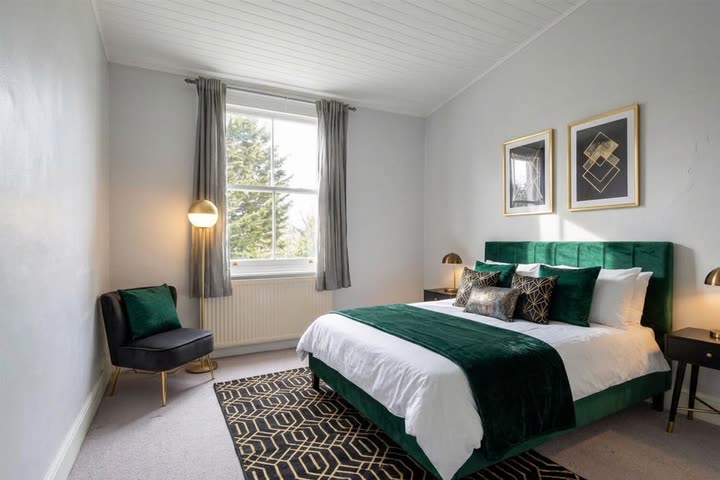
The same house in Gatsby Glam — emerald velvet, black and gold. Or Bare Essentials, Loft & Steel, Quiet Luxury, Mediterranean: nineteen styles in four families.
 Before
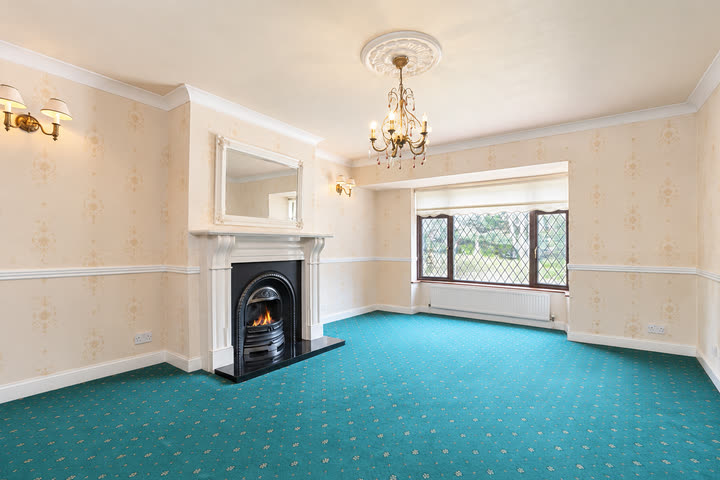 After
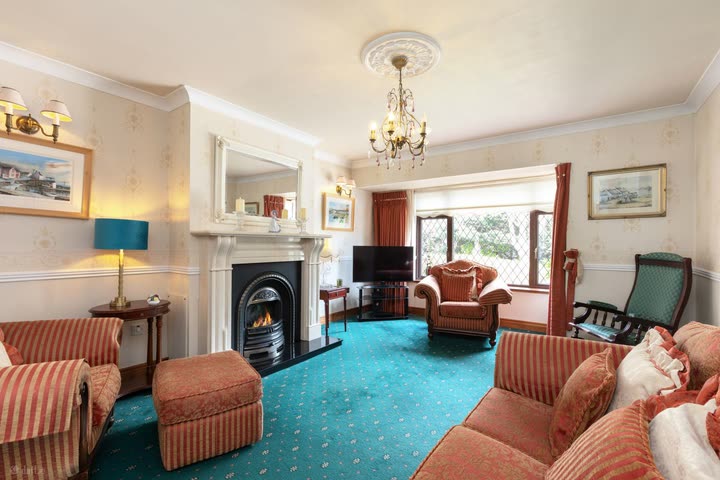
Furnished rooms are shown empty.
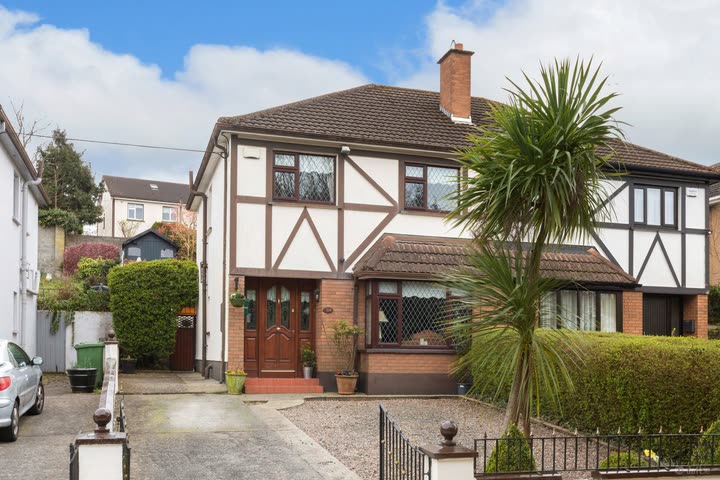 Before
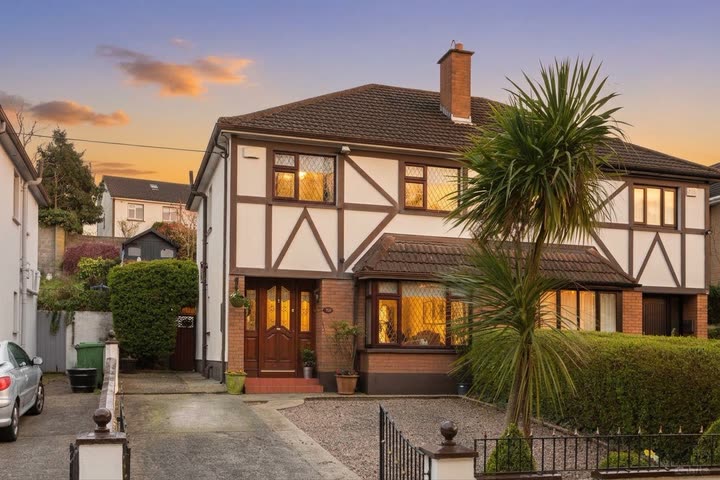 After
The outside shots at the end of the day — golden hour or blue hour.
The pictures are real: an empty London house and a furnished Dublin one, put through the app once per look. Nothing here was edited for this page.
On your phone
Rendering happens on your phone, not on a farm behind everyone else's jobs. The film is ready while a cloud service would still be counting your credits.
The listing's photos are fetched straight to your phone and processed there — they never sit on our servers. Only the finished film is uploaded, and only so you get a link to share.
Every film stays on the device: preview it, share the link again — or select the lot and clear them out.
Pricing
Share any listing link. Portals we know are read instantly; one the app has never met, its AI works out on the spot — and once learned, it works for every agent after you. If a page still resists, switch to "Own photos": pick them from your gallery, type the price, same film.
On Google Play — it is the only place Flaireel is distributed, and the subscription is billed there too. The download is ~170 MB because the AI models ship inside the app: nothing is fetched later, and your photos never leave the phone to be analysed. The iPhone app is on its way — leave your email and we tell you the day it ships.
Android 7.0 or newer — that is the store's own install requirement. Rendering speed scales with the phone: the under-60-second render is measured on a 2018 mid-range handset, and bigger listings take proportionally longer end to end. iOS is planned.
For photo films: no video count, no credits, no fair-use asterisk — they render on your phone, so there is no queue to protect. AI video is the one thing that is counted: one a day, on every plan.
On your phone, in the app's library — plus a share link served from our storage, so whoever you send it to streams it instantly without installing anything.
The listing's. The closing card is written in the language of the listing page itself — a Slovak listing closes in Slovak, an Irish one in English.
Every photo film is Full HD — 1920×1080 widescreen and 1080×1920 vertical — on every plan, including the free one. Free videos carry a small Flaireel mark in the corner; Pro videos carry none. There is no 4K option, and that is deliberate: listing photos are rarely large enough to fill a 4K frame, so a 4K file would mostly be an upscale of the same detail in four times the bytes. We spend the effort on making the Full HD as sharp as the source allows instead. AI videos are HD (1280×720), widescreen or vertical.
No, and the video says so. AI video is generated footage: the app gives the AI the listing’s own photographs of a room and it films that room — the camera moves, and in some styles a presenter speaks a line written from the listing. Every scene carries a “Generated with AI” label that cannot be removed. If you want every frame to be the photograph itself, that is the photo film.
Generating footage is far heavier than rendering photographs, so each account gets one AI video a day — on the free plan and on Pro alike. The day is your own calendar day. Photo films are not counted this way.
AI characters — not residents, and not anyone real unless you add yourself. Pick from ten ready-made people and pets, or make “Me” from a single photo and present your own listing. Property showcase and Key facts have nobody in them at all.
Only what you choose: a retouch, furniture in an empty room, furniture taken out, or the outside shots at dusk. The room itself is kept — an edit that changes the architecture is rejected and the photo is used as taken — and a furnished or emptied shot says so on the film.
Yes — every track ships under a commercial-use license, and we keep the provenance of every single one.
Yes — the subscription is managed by Google Play, so you cancel it there like any other app. Access runs to the end of the paid period, and your rendered videos stay yours.
Free to install · your first three videos free.
The iPhone app is not out yet. Leave your address and you get one email the day it is.